HMRC VAT Customer Services Practical Handbook: Resolve Business Account Errors Quickly
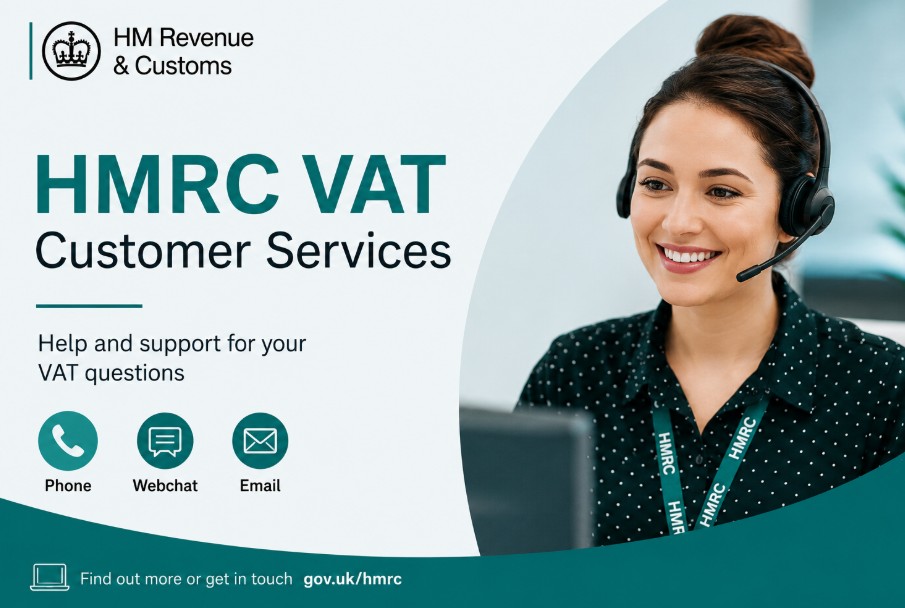
Accessing effective HMRC VAT customer services support in 2026 requires navigating a digital-first environment where online tools are the primary resolution path.
Businesses should utilise official Government Gateway accounts to manage registrations, view returns, and track payments before attempting to contact the helpline, as digital channels offer the most immediate access to account data and status updates.
Key Takeaways
-
Use your Government Gateway account to manage VAT registration, view return statuses, and make payments without waiting for a telephone support adviser.
-
The primary HMRC VAT helpline is open Monday to Friday, 8am to 6pm, though peak call volumes often occur during standard morning business hours.
-
Preparation of your VAT registration number, UTR, and recent correspondence is mandatory before initiating any contact with HMRC customer services.
-
Digital assistants and live chat features are increasingly available within the VAT online portal to resolve common technical or procedural enquiries.
What are HMRC VAT Customer Services?
HMRC VAT Customer Services is the official administrative support network provided by His Majesty’s Revenue and Customs to assist UK businesses with Value Added Tax (VAT) compliance.
It operates through a tiered ecosystem consisting of the HMRC Business Tax Account portal, automated digital assistants, live webchat services, dedicated telephone helplines, and official postal routes.
Services Checklist
The HMRC VAT Customer Services Checklist includes digital and offline workflows for domestic business setup, Making Tax Digital (MTD) software linking, transaction ledger auditing, error corrections, and international trade accounting structures like Postponed VAT Accounting (PVA).
- VAT Registration & De-registration: Assistance with setting up your VAT account, changing business details, or cancelling registration when closing or downscaling a business.
- Making Tax Digital (MTD) Support: Guidance on linking compatible accounting software to the HMRC portal and troubleshooting electronic return submission issues.
- Returns & Corrections: Help with understanding your specific reporting periods, adjusting calculations if you use the VAT Flat Rate Scheme, and correcting errors on previously submitted returns.
- Payments & Refunds: Support for setting up automated Direct Debits, verifying official HMRC VAT bank details for secure transfers, managing outstanding liabilities, arranging Time to Pay payment plans, and tracking VAT refunds owed to your business.
- Import/Export VAT (Postponed VAT Accounting): Assistance with customs-related VAT, including Postponed VAT Accounting (PVA) statements for goods imported into the UK.
How do HMRC VAT Customer Services Help Resolve Issues?
HMRC handles VAT issues through three simple stages: real-time account updates online, specialist technical support for Making Tax Digital (MTD) software glitches, and direct access to human advisors when you need to sort out complex disputes or payment plans.
The system is built on a tiered system of support to address issues efficiently:
-
Real-time Data Visibility: The network provides automated, real-time tracking of transaction histories, accounting balances, and application statuses directly through your digital account.
-
Technical Troubleshooting: If you run into software snags or Making Tax Digital (MTD) connection errors, the online services helpdesk steps in to isolate and fix the glitch.
-
Escalating Complex Issues: When unique problems crop up, like complicated registration changes or debt issues, customer services will pass you through to a live advisor who has the authority to sort it out.
How to Contact HMRC VAT Customer Services?
To contact HMRC VAT Customer Services, users must utilize digital self-service tools within the GOV.UK portal as the primary layer of communication.
For issues that cannot be resolved via the Business Tax Account or live webchat, businesses can escalate to the direct telephone helpline on 0300 200 3700.
The landscape for HMRC VAT customer services has shifted significantly toward automated, digital-first support. In practice, basic status checks are being replaced by real-time data access through the Business Tax Account.
Digital tools serve as the first point of contact for nearly all VAT-related tasks to reduce reliance on telephone queues for routine administrative matters.
When Should You Use the HMRC VAT Online Contact Methods?
Online contact methods should be used for all routine operational updates and reporting protocols, including changing trading addresses, reviewing historical return filing codes, setting up automated direct debit mandates, and resolving MTD electronic submission errors.
Accessing Your HMRC VAT Login and Business Tax Account
Accessing your HMRC VAT Login requires an active Government Gateway User ID and secure credential pair. Once inside the secure dashboard, business owners have complete administrative control over transaction histories, reporting horizons, and operational updates.
-
View your VAT obligations and payment deadlines.
-
Update your business details or contact information.
-
Check the status of submitted VAT returns.
-
Set up or manage a Direct Debit for VAT payments.
Is There an HMRC VAT Helpline Live Chat?
Yes, HMRC hosts an active VAT Helpline Live Chat feature accessible directly inside the online tax service portal. The interface uses an automated AI assistant to screen initial inquiries, with the operational capacity to route complex accounts directly to human specialists.
What is the HMRC VAT Customer Services Contact Number?
The official HMRC VAT Customer Services contact number for general inquiries inside the UK is 0300 200 3700 (or +44 2920 501 261 if calling from overseas).
For technical issues regarding online portal interfaces or login errors, businesses must call the separate online support line on 0300 200 3600.
Finding the Correct HMRC VAT Contact Number
Finding the correct HMRC VAT contact number depends on your query classification: general tax calculations route to 0300 200 3700, systems access challenges use 0300 200 3600, and corporate debt restructuring requires calling official 0800 helplines verified via GOV.UK
| Query Type | Best Contact Method | Number / Route | Estimated Efficiency |
| General Enquiries | Telephone Helpline | 0300 200 3700 | Moderate |
| VAT Registration | Online Application | Via Government Gateway | High |
| Technical Login Errors | Online Services Helpdesk | 0300 200 3600 | Moderate |
| Payment / Debt Issues | Debt Management Line | 0800 Helplines (via GOV.UK) | High |
Helpline Support Details and Opening Times
-
HMRC VAT Registration Support: Use this route specifically for complex registration queries that cannot be resolved via the standard online application form.
-
HMRC VAT Return Support: Reserved for difficulties in submitting returns through MTD software or correcting errors in previously submitted figures.
-
Opening Times: The standard helpline services are available Monday to Friday, from 8am to 6pm. The service is closed on weekends and bank holidays. For the shortest wait times, aim to call mid-afternoon, as the early morning hours, between 8am and 10am, frequently experience peak phone traffic.
Check for Required Details Before Contacting HMRC VAT Customer Services
Before contacting HMRC VAT support, you must collect your 9-digit VAT Registration Number (VRN), 10-digit Unique Taxpayer Reference (UTR), registered corporate address data, and matching security credentials to successfully pass the mandatory telephone or webchat verification checks.
-
VAT Registration Number (VRN): Your unique 9-digit business identifier found on your VAT registration certificate or previous returns (if you are dealing with a new supplier, you can check how to find a VAT registration number online).
-
Government Gateway User ID and Password: Essential if you need to troubleshoot portal errors while talking to an agent.
-
Unique Taxpayer Reference (UTR): Your company’s or personal 10-digit tax reference number.
-
Business Identification Details: Your registered business name, corporate trading address, postcode, and date of incorporation (if applicable).
-
Relevant Correspondence: Any recent assessment notices, penalties, or letters received from HMRC containing a specific reference number.
-
Bank Account Details: The bank information currently linked to your VAT account for Direct Debits or payouts.
Alternative Ways to Resolve VAT Queries
Alternative resolution channels for complex tax disputes include secure online messaging embedded inside the personal Business Tax account dashboard or formal physical mail correspondence dispatched to HMRC’s central operations sorting facility.
-
Secure Online Messaging & Email: HMRC does not provide a public-facing email address for general business enquiries due to data security concerns. However, specific, secure email paths exist strictly for replying to ongoing caseworker requests, such as [email protected] for active registration applications. For normal queries, always use the secure message facility inside your Business Tax Account instead.
-
Writing to HMRC for Complex VAT Issues: For formal disputes, appeals, or complex technical rulings, written correspondence is often required. Address your letters to: BT VAT, HM Revenue and Customs, BX9 1WR, United Kingdom. Keep copies of all sent letters and ensure you include your VAT registration number clearly at the top.
How to Resolve VAT Issues?
If you need to escalate a query, follow these steps to maintain clarity and efficiency:
-
Gather your VAT registration number and Unique Taxpayer Reference (UTR).
-
Log in to your Business Tax Account to confirm the specific error or status.
-
Consult the official GOV.UK guidance relevant to your specific VAT issue.
-
Use the digital assistant on the relevant GOV.UK page to check for automated solutions.
-
Prepare a list of your specific questions to ensure the call is productive.
-
Call the appropriate department using the verified contact number.
-
Record the name of the adviser and any reference number provided during the call.
Conclusion
Managing VAT compliance is a process of leveraging digital tools to maintain transparency and control. Start by utilising your Business Tax Account for routine tasks, as this is the fastest way to get accurate, real-time information.
When you must contact HMRC, ensure you have your reference numbers ready and have selected the correct department to avoid unnecessary delays.
Disclaimer: This article is for informational purposes only and does not constitute official legal or professional financial advice; please consult HMRC directly for specific tax rulings.
FAQ
What is the best time to call the VAT helpline?
Avoid Monday mornings and the 8am to 10am window. Tuesday through Thursday, between 2pm and 4pm, typically provides the shortest wait times for reaching an HMRC VAT adviser.
Can I resolve VAT registration issues online?
Yes. The vast majority of VAT registrations must be completed through the online portal. Contacting the helpline is usually only necessary for complex cases where an application is stalled.
What should I do if I cannot log in?
Verify your credentials and ensure your Government Gateway account is active. If the error persists, use the specific technical help link on the login page to reset your access.
Is there a specific number for VAT return corrections?
Corrections are often managed through your online account. If you must speak to someone, use the general VAT helpline and request the Returns department to ensure correct routing.
Do I need to be a VAT registered business to call?
You should have a registered VAT number or an active application reference. HMRC cannot discuss specific VAT account details without verifying your identity through these unique identifiers.
How do I make a complaint about VAT service?
If initial support is insufficient, use the formal HMRC complaints procedure outlined on the GOV.UK website. This process provides a clear path for escalating unresolved service issues.
Can I get VAT advice via social media?
No. HMRC does not provide advice on individual tax affairs via social media platforms. Only use verified GOV.UK channels and your secure online account to avoid phishing risks.