The Step-by-Step HMRC Business Guide to Completing Your Online Payment of VAT on Time
All VAT-registered businesses across the UK must complete their online payment of VAT by the deadline shown on their return to remain fully compliant with HMRC regulations.
Payment must reach HM Revenue and Customs (HMRC) by the deadline specified on your VAT return to avoid financial penalties and surcharges. Businesses generally use the official Government Gateway or their business bank accounts to complete this process.
Key Takeaways
-
VAT payments must reach HMRC by the deadline or face potential surcharges based on the total tax amount due and the duration of the payment delay period.
-
Direct Debit remains the most reliable method for ensuring timely payments as HMRC automatically collects the funds on the date your VAT return is due.
-
Use your 9-digit VAT registration number as the payment reference alongside the official HMRC VAT bank details when transferring funds via BACS or CHAPS to ensure HMRC credits the correct account.
-
Corporate debit cards can be used via the HMRC portal but incur non-refundable transaction fees which vary based on the specific card issuer policies.
What is VAT?
Value Added Tax (VAT) is a business consumption tax levied on most goods and services provided by VAT-registered businesses across the UK. It is calculated as the difference between the tax collected on your sales and the tax paid on your business purchases.
-
How it Works: If your taxable turnover exceeds the statutory registration threshold, you must register for VAT. You charge VAT on your sales (output tax) and reclaim the VAT you pay on your business purchases (input tax). If you trade independently, you might wonder, can I claim VAT back as a sole trader?, which is entirely possible for eligible business expenses.
-
The Net Payment: Every quarter (or month, depending on your schedule), you submit a VAT return to HM Revenue and Customs (HMRC). You then pay the difference if your output tax exceeds your input tax. If you use a simplified setup like the VAT Flat Rate Scheme, this calculation changes to a fixed percentage of your turnover. If your input tax is higher on a standard scheme, HMRC refunds you the difference.
How to make an online payment of VAT?
To make an online payment of VAT, log in to your HMRC business tax account using your Government Gateway ID, navigate to Manage your VAT, select Make a payment, choose your payment method, enter your 9-digit corporate identifier, if you are unsure of it, you can check how to find a VAT registration number as your reference, and authorize the transfer.
To initiate a standard online payment:
-
Log in to your HMRC business tax account using your Government Gateway ID.
-
Navigate to Manage your VAT.
-
Select Make a payment from the dashboard menu.
-
Choose your preferred payment method and input the exact amount due from your return.
-
Verify your bank or card information on the secure payment screen, submit the transaction, and save your digital payment confirmation reference.
Different methods of online payment of VAT
The official methods for the online payment of VAT to HMRC are Direct Debit, approving an instant payment via online banking (Faster Payments), manual bank transfers (BACS or CHAPS), and corporate debit or credit cards processed through the online tax portal.
Direct Debit
This is the most highly recommended method. HMRC automatically collects the funds from your business bank account on the exact date your VAT return is due, completely removing human error from the deadline.
- Log In to Gateway: Sign in to your HMRC online account using your Government Gateway user ID and password.
- Access VAT Account: Go to Manage your VAT and select the option to set up a Direct Debit mandate.
- Enter Bank Details: Input your business bank account number, sort code, and the account holder’s name.
- Submit Mandate: Confirm and submit the mandate. HMRC will send an advance notice email at least 3 working days before withdrawing any funds from your account.
Approve a Payment via Online Banking (Faster Payments)
Ideal for last-minute deadlines, Faster Payments usually clear into HMRC’s account on the same or next day (including weekends and bank holidays).
- Initiate inside HMRC Portal: Log into your HMRC account and select ‘Pay by bank account’.
- Select Your Bank: You will be securely redirected to a list of UK banks. Select your provider.
- Approve the Transaction: Log into your online banking app when prompted. The payment details (including the official HMRC account and your reference number) will be pre-filled. Approve the payment instantly.
Manual Bank Transfer
If you prefer to push payments directly from your corporate banking platform rather than routing through HMRC’s portal, you can use standard clearing houses.
- BACS: Takes 3 working days to clear. Best for standard, pre-planned payments.
- CHAPS: Clears same-day if initiated within your bank’s specific working hours. Best for urgent, high-value transfers.
-
- Check Bank Limits: Verify your bank’s daily online transfer limit, especially for high-value corporate balances.
- Create New Payee: Add HMRC VAT as a new beneficiary using the official account number and sort code (provided in the section below).
- Input Reference Number: Type your 9-digit VAT registration number into the payment reference field without any spaces or dashes.
- Execute Payment: Authorize the transfer. Ensure you execute BACS transfers at least three business days prior to the statutory deadline.
Corporate Debit or Credit Card
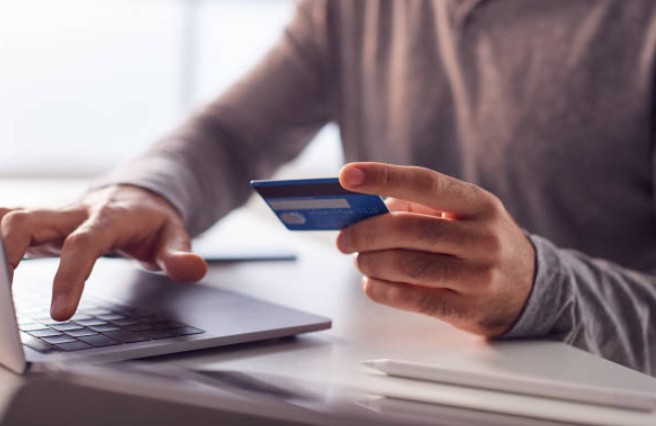
You can complete your tax payment directly on the HMRC portal using a corporate card. Note that personal credit cards are strictly rejected.
- Select Card Option: On the payment method selection screen within your HMRC account, choose Debit or credit card.
- Provide Details: Enter your 16-digit card number, expiration date, and CVV security code.
- Confirm Fees: Review the payment summary. Corporate cards incur a non-refundable transaction fee that is dynamically calculated based on your card issuer’s terms. Click Confirm to process.
What are the details required to make an online payment of VAT?
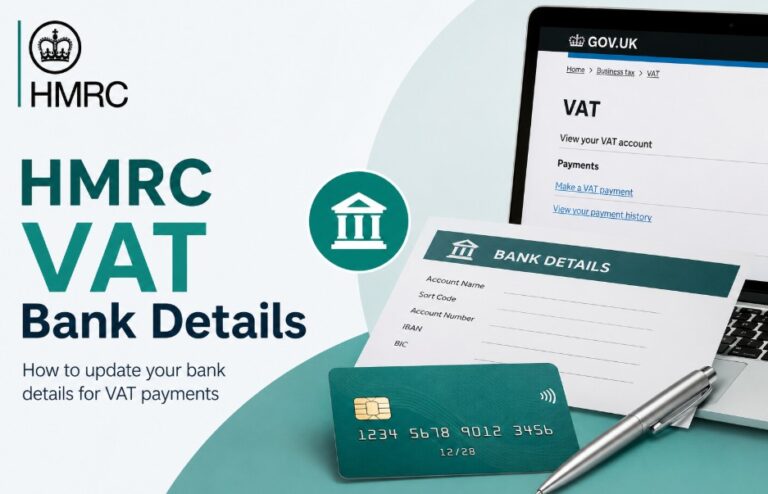
To pay your UK VAT via manual bank transfer, use Barclays Bank PLC as the bank name, sort code 08-32-00, and account number 11963155. Your unique payment reference must be your 9-digit VAT registration number typed without spaces or dashes.
When setting up a manual bank transfer (BACS, CHAPS, or standard Faster Payments), accuracy is absolute. A single typo will lead to your funds being unallocated, triggering automated penalty notices even if the cash left your bank.
Use these official HMRC banking credentials:
| Detail Field | UK Bank Account (Domestic) | Overseas Bank Account (International) |
| Bank Name | Barclays Bank PLC | Barclays Bank PLC |
| Sort Code | 08-32-00 | — |
| Account Number | 11963155 | — |
| IBAN | — | GB36 BARC 2005 1773 1523 91 |
| BIC / SWIFT | — | BARCGB22 |
| Account Name | HMRC VAT | HMRC VAT |
| Payment Reference | Your 9-digit VAT Registration Number | Your 9-digit VAT Registration Number |
Important things to know before processing online payment of VAT
Before processing your VAT payment online, remember that submitting your return via MTD software does not automatically pay the bill. Manual bank transfers take up to 3 days to clear, and using a corporate card will incur extra non-refundable processing fees.
-
The Separate Steps Rule: Submitting your digital VAT return through Making Tax Digital (MTD) software and paying the bill are two separate steps. Completing the return does not automatically trigger a payment unless you have an active Direct Debit mandate.
-
Clearing Dates Matter: For manual transfers (like BACS), funds must fully clear into HMRC’s account by the deadline date to be considered on time.
-
Corporate Card Fees: Corporate credit and debit cards carry an extra processing fee. Personal debit cards, however, incur zero fees.
-
Bookkeeping Best Practices: Never log VAT transfers as standard supplier expenses. They must be tagged as a Tax Liability and reconciled directly against the matching VAT liability account in your accounting software ledger to maintain audit-readiness.
Common issues in online payment of VAT with solution
If your VAT payment has a wrong reference number, contact the HMRC VAT Enquiries Team immediately to manually map the funds. For bank transfer limits, break the amount into smaller payments. For short cash flow, file on time and apply for an HMRC Time to Pay agreement.
Payment Sent with an Incorrect Reference Number
-
The Risk: The money leaves your account but sits unallocated in HMRC’s general holding pool, causing an automated penalty notice to hit your account.
-
Solution: Immediately contact the HMRC VAT Enquiries Team. Have your bank transaction reference ID, the exact amount sent, the time of transfer, and your actual 9-digit VAT number ready so a representative can manually trace and map the funds.
Bank Daily Transfer Limit Restricts Payment
-
The Risk: You attempt to pay a large quarterly VAT liability on deadline day, but your bank blocks it because it exceeds your web banking limit.
-
Solution: Split the liability into multiple smaller payments across the portal, or switch to a CHAPS transfer which supports unlimited sums (though this must be done via phone or in-branch at your bank). Long-term, moving to a Direct Debit bypasses bank limits entirely.
Approaching Deadline with Insufficient Cash Flow
-
The Risk: Facing steep penalties for simple lack of funds.
-
Solution: Do not delay filing your return. File on time to avoid submission fines, and immediately call the HMRC Payment Support Service to negotiate a Time to Pay (TTP) arrangement. If agreed within the first 15 days of your deadline, late payment penalties are successfully paused.
What Happens if You Pay VAT Late?
If you pay your VAT late to HMRC, you face a dual-layered penalty framework: late payment interest starts accumulating daily from Day 1 at a rate of 7.75% (Bank of England base rate plus 4%), followed by escalating flat percentage penalties at Day 16 and Day 31.
Late Payment Penalties & Interest
If your payment passes the deadline, the penalty escalates based on timeline checkpoints:
-
Days 1 to 15 Overdue: No late payment penalty is charged, but Late Payment Interest begins accruing immediately from day one. The interest rate tracks at the Bank of England base rate plus 4% (currently standing at 7.75% per year).
-
Days 16 to 30 Overdue: A flat 3% penalty is applied to the total VAT balance that remains outstanding at day 15.
-
Day 31 and Beyond: An additional 3% penalty is levied against whatever balance remains unpaid at day 30. Furthermore, a second penalty accrues daily at a rate of 10% per year on the remaining balance until it is cleared in full.
Late Submission Points
Separate from the money itself, missing the filing deadline adds 1 penalty point to your digital file.
For quarterly filers, reaching a threshold of 4 points triggers an automatic £200 fine, with an additional £200 fine applied for every single late submission thereafter until you successfully reset your record by filing on time for 12 consecutive months.
Conclusion
Managing the online payment of VAT effectively is a hallmark of a well-organized business. By utilizing Direct Debit, keeping accurate records of your payments, and staying updated with official HMRC guidance, you eliminate unnecessary stress and penalty risks.
Disclaimer: The information provided in this article is for general educational guidance only and does not constitute formal tax or professional financial advice; always consult official HMRC documentation or a certified accountant before making corporate payment decisions.
FAQ
Can I pay my VAT using a corporate credit card?
Yes, you can pay using a corporate or business debit/credit card via the official HMRC portal, but be aware that non-refundable transaction fees usually apply to these payments.
How do I check if my VAT payment has been received online?
Log in to your VAT online account and view your VAT statement. It will show your recent payment history and confirm whether the balance has been cleared by HMRC.
How do I pay VAT on imported goods in the UK?
Import VAT is often accounted for via Postponed VAT Accounting (PVA) on your VAT return, meaning you do not pay it at the border, but rather report it on your next submission.
How much is VAT on 1000 pounds?
At the standard UK rate of 20%, the VAT amount on £1,000 is £200, bringing the total gross amount to £1,200.
What is the HMRC VAT contact number for payment support?
You can reach the HMRC VAT enquiries team via their official contact number listed on the Gov.uk website for payment assistance and support arrangements.
Can I pay my VAT by phone?
No, HMRC no longer accepts traditional credit or debit card payments over the phone for VAT. All payments must be made through online banking or the official portal.
What happens if I do not pay VAT?
Persistent non-payment can lead to severe consequences, including debt recovery actions, the removal of your VAT registration, or even legal proceedings to recover the outstanding tax debt.