Does QuickBooks Do Payroll? Automation, HMRC RTI Compliance, Pricing Tiers Explained
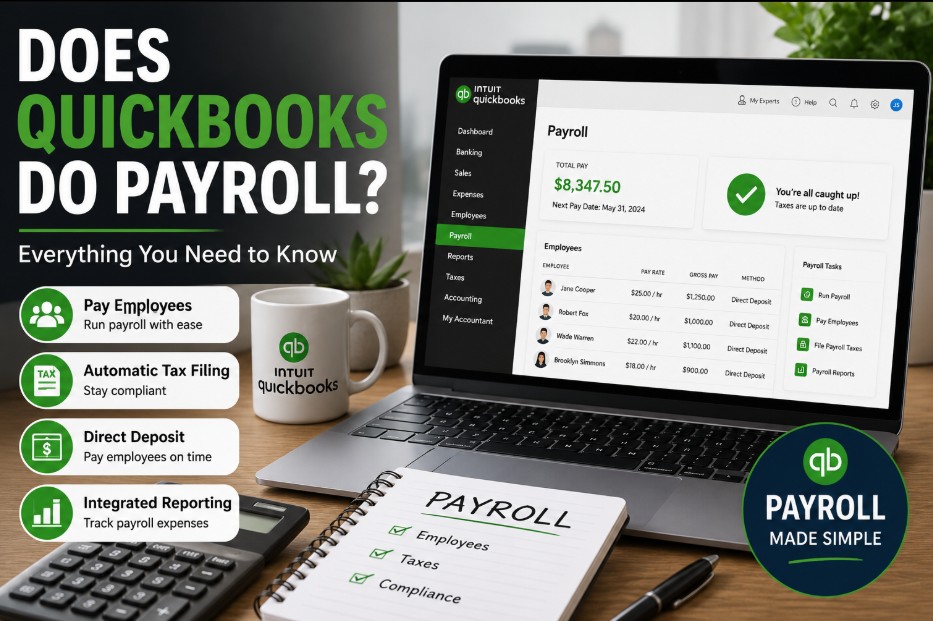
Does QuickBooks do payroll for businesses looking to automate their employee operations in the United Kingdom? Yes, QuickBooks features a dedicated cloud-based payroll system integrated directly into its core accounting software.
Operating under the name QuickBooks Online Payroll, it processes automated calculations, distributes digital payslips, and files mandatory tax documentation directly to HM Revenue and Customs (HMRC) to maintain full regulatory alignment.
Key Takeaways
-
QuickBooks Payroll operates as a fully integrated add-on software module that connects straight to your online general bookkeeping ledger.
-
Subscriptions utilize a base monthly flat rate plus a dynamic variable charge applied per individual employee processed on the system.
-
The software features direct Real Time Information connections to submit full payment data to HM Revenue and Customs on or before every payday.
-
Workplace pension compliance is built directly into the system to handle assessments and contributions for major providers like NEST.
What is QuickBooks?
QuickBooks is a widely used financial management platform developed by Intuit. Often ranked alongside the best small business accounting software, it provides cloud-based tools to track income and expenses, generate invoices, manage bills, and compile financial reports.
By unifying daily financial transactions into a single dashboard, it helps business owners monitor their cash flow and prepare for tax seasons without requiring an advanced background in accounting.
What is Payroll?
Payroll is the administrative process of managing employee compensation within a business. It encompasses calculating total earnings for a specific period, deducting appropriate taxes, national insurance contributions, or pension payments, and distributing the final net pay to workers.
Beyond simply writing checks or executing bank transfers, payroll involves a strict regulatory obligation to maintain accurate employment records and submit timely, formatted financial reports to government tax authorities.
Does QuickBooks do Payroll?
Yes, QuickBooks features a dedicated cloud-based payroll system integrated directly into its core accounting software.
Operating under the name QuickBooks Online Payroll in the UK, it processes automated calculations, distributes digital payslips, and files mandatory tax documentation directly to HM Revenue and Customs (HMRC) to maintain full regulatory alignment.
Instead of relying on disconnected spreadsheets or third-party file transfers, operators manage staff payments from the same cloud interface where they track expenses and invoice clients.
In practice, this native data path eliminates the need to manually enter journal entries at the end of every calendar month.
When payroll runs, the general ledger updates automatically, adjusting liabilities and cash accounts instantly.
For UK micro-businesses managing everyday bookkeeping for small businesses, this structural unity prevents transcription errors between payroll summaries and financial balance sheets.
What Types of QuickBooks Payroll Are There?
In the UK market, QuickBooks structures its payroll add-on into three distinct service tiers designed to scale with a business’s operational complexity.
While all three versions handle core tax calculations and submissions, they differ primarily in their time-tracking integrations and level of onboarding support:
-
Core Payroll: The baseline tier built for straightforward operations. It includes automated HMRC filings and full auto-enrolment integration exclusively with the NEST pension provider. Employee hours must be entered manually.
-
Premium Payroll: Built for growing teams requiring scheduling flexibility. This tier unlocks native time tracking through QuickBooks Time (allowing employee hours to flow automatically into the pay run), handles multiple workplace pension providers, and includes expert-guided onboarding support.
-
Elite Payroll: The top-tier package designed for established entities. It offers all Premium features alongside bespoke, white-glove onboarding setup and advanced project-tracking tools within the time-tracking ecosystem.
How does QuickBooks do payroll processing for small businesses?
Navigating payroll processing requires a strict balance of timing, payment calculation, and statutory record-keeping. The platform handles these processing milestones through highly automated routines that reduce human calculation requirements.
| Feature Area | Core Payroll Plan | Premium Payroll Plan | Elite Payroll Plan |
| HMRC RTI Filing | Included | Included | Included |
| Workplace Pensions | NEST Integration Only | Multiple Providers | Multiple Providers |
| Time Tracking | Manual Input | QuickBooks Time Included | QuickBooks Time Included |
| Setup Support | Digital Wizard | Expert Onboarding | Bespoke Onboarding |
Cloud Payroll Execution
Misconceptions around cloud-based automation often lead small business owners to misunderstand their personal administrative responsibilities.
While the software removes manual calculation friction, navigating UK payroll still requires a baseline understanding of where automation ends and director oversight begins.
| The Common Myth | The Operational Reality |
| QuickBooks completely manages your payroll independently without human sign-off. | The system automates calculations, but an administrator must review and click to authorize the final distribution. |
| Changing employee tax codes must always be updated manually every fiscal month. | The cloud software syncs directly with HMRC to pull updated tax codes automatically via P6 and P9 notifications. |
Does QuickBooks do payroll for you automatically?
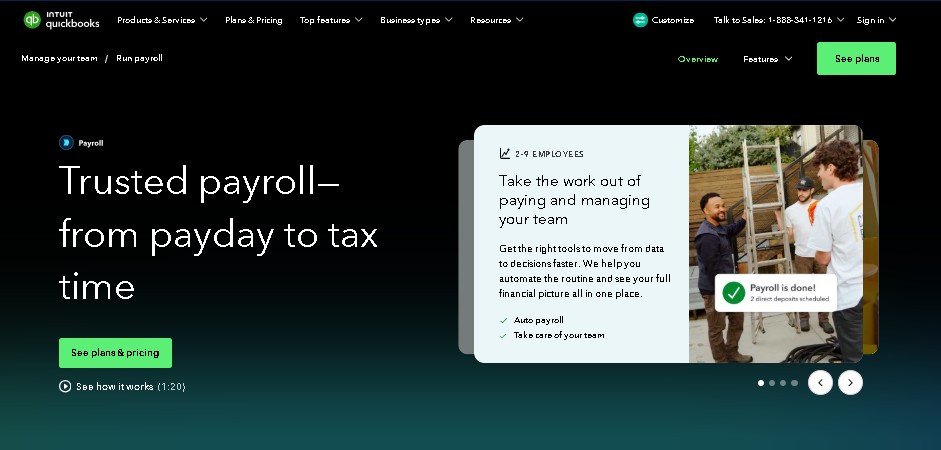
When configured for automated pay runs, the software tracks salary structures and processes recurring hourly intervals without requiring manual intervention each month.
Provided there are no variable amendments like overtime or unpaid leave, the system executes the calculations, creates the ledger updates, and queues the necessary regulatory filings seamlessly behind the scenes.
A common pattern observed among small UK service firms running predictable monthly salaries is the complete automation of the workflow.
The software compiles the monthly run, calculates national insurance brackets, and pushes notification summaries to management for final cross-checking.
Does QuickBooks do payroll direct deposit and checks?
For funding distribution, the UK iteration relies heavily on electronic bank transfers. The system outputs standard BACS billing files or structured Faster Payments data files that operators upload directly into corporate banking platforms to clear salaries.
- Run Payroll inside QuickBooks Online
- Download Formatted BACS / Faster Payments File
- Upload File to UK Corporate Banking Interface
- Funds Disbursed to Employees Natively
While manual paper checks can be recorded inside the software ledger for accounting consistency, digital distribution remains the structural standard.
Does QuickBooks do payroll taxes and HMRC compliance?
Operating staff infrastructure in the United Kingdom requires rigorous adherence to the strict tax standards monitored by the state authorities. Failing to report worker remuneration correctly leads to swift, automated penalties from government bureaus.
To remain fully compliant with national frameworks, the software architecture communicates directly with state tax interfaces.
According to the official government announcement regarding digital business tracking, employers must submit employment data via real-time data portals on or before each designated employee distribution date.
How Does QuickBooks Do Payroll Real-Time Information Submissions?
The system utilizes integrated secure certificates to process Real Time Information (RTI) requirements. Every time a pay run completes, the application formats a Full Payment Submission (FPS) data packet.
This cryptographic packet transmits gross pay metrics, tax codes, student loan deductions, and National Insurance Contributions (NICs) straight to the state computing networks, eliminating independent external manual filings.
Statutory Deductions Management
Managing complex worker leave scenarios requires robust computation parameters. The software dynamically calculates complex variables including:
-
Statutory Sick Pay (SSP) qualifications and waiting days.
-
Statutory Maternity Pay (SMP) tiered timeline distributions.
-
Statutory Paternity Pay (SPP) scheduling alignments.
-
Variable student loan repayment thresholds (Plan 1, Plan 2, Plan 4, and Postgraduate options).
When reviewing operational decisions, small business owners often struggle with manual adjustment tracking.
Anonymized testing logs show that when an employee reports a multi-week illness, inputting the initial absence dates allows the system to compute precise statutory allowances automatically while safely suppressing standard base salary metrics.
Workplace Pension Schemes
Under national auto-enrolment laws, employers must assess worker ages and earnings limits each pay period. QuickBooks Online Payroll executes these calculations automatically, identifying workers who must be legally enrolled.
The platform handles deductions for key pension systems, generating clean data outputs for standard national platforms such as NEST and Smart Pension.
How much does it cost to run payroll with QuickBooks?
Understanding the precise financial investment required for payroll requires tracking two distinct cost layers: the base accounting tier charge and the per-employee processing fee.
The Pricing Architecture
QuickBooks structures its payroll add-on as an incremental monthly operational cost. Users pay a fixed base operational rate to activate the module, supplemented by an individual monthly processing fee for each active worker included in that specific pay cycle.
Total Monthly Bill = [Base Accounting Fee] + [Payroll Tier Base Fee] + ([Number of Workers] × [Per-Employee Fee])
Running Cost Analysis
To properly map financial projections, small businesses must review exactly how the software costs scale alongside headcount expansions.
According to Intuit’s official UK commercial pricing schedules, these operational tiers break down into the following baseline rates:
| Active Staff Count | Core Payroll Cost Matrix | Premium Payroll Cost Matrix | Elite Payroll Cost Matrix |
| 1 Director | £4.00 Base + £1.00 = £5.00 | £8.00 Base + £2.50 = £10.50 | £16.00 Base + £4.50 = £20.50 |
| 5 Employees | £4.00 Base + £5.00 = £9.00 | £8.00 Base + £12.50 = £20.50 | £16.00 Base + £22.50 = £38.50 |
| 15 Employees | £4.00 Base + £15.00 = £19.00 | £8.00 Base + £37.50 = £45.50 | £16.00 Base + £67.50 = £83.50 |

Is QuickBooks good for payroll?
Determining if this system serves your enterprise effectively requires balancing its ease of use against operational limitations often flagged by accounting specialists.
Why don’t accountants like QuickBooks?
A frequent point of friction among professional bookkeepers is the platform’s handling of payroll amendments and historic adjustments.
If an operator accidentally records incorrect pay hours and submits the real-time filing to the government, reversing that specific payroll record inside QuickBooks can be complex.
Unlike dedicated professional payroll portals that allow quick edits, QuickBooks prioritizes strict ledger tracking, meaning fixing simple processing mistakes often requires running manual journal adjustments.
Which is better, QuickBooks or ADP?
When comparing systems for small businesses, organizational scale dictates the optimal platform choice. To evaluate how these platforms diverge across core functional lines, review the structural comparison matrix below:
| Feature Metric | QuickBooks Online Payroll | RUN Powered by ADP |
| Primary Operational Focus | Built as an automated, ledger-first bookkeeping add-on. | Engineered as a comprehensive HR, workforce management, and standalone payroll platform. |
| Pricing Structure | Transparent, predictable tiered flat monthly baseline fees plus per-employee variable costs. | Custom quote-based tiered pricing that frequently scales based on processing frequency. |
| Ledger Integration | Native, direct-path automatic general ledger syncing inside the core system. | External synchronization requiring API connectors or manual end-of-month journal postings. |
| Human Resources & Benefits | Basic compliance tools; advanced HR support restricted to high-tier advisory add-ons. | Extensive embedded HR tools, employee-handbook wizards, and complex benefits management. |
| Optimal Corporate Scale | Micro-businesses and growing firms with fewer than 30–50 employees. | Mid-market enterprises, high-headcount operations, and international corporate frameworks. |
Is QuickBooks payroll easy to learn?
For standard payroll routines, the setup wizard guides beginners comfortably through adding employees, entering tax codes, and linking bank accounts.
The recurring monthly workflow is straightforward, making it highly accessible for business owners without formal payroll training.
Why is QuickBooks shutting down?
Intuit has altered its development priorities to focus entirely on cloud-based software architectures. As of 2026, legacy QuickBooks Desktop subscriptions and connected desktop payroll services have been systematically discontinued in the UK market.
Firms still using older offline versions must transition to the online version to preserve access to live HMRC filing connections, automatic tax table updates, and secure workplace pension computations.
How to Run Your First Payroll?
To process an initial payroll run cleanly without triggering data errors, follow this structured deployment path:
-
Log into your account dashboard, navigate to the side panel, and click the dedicated payroll management icon.
-
Enter the official Employer PAYE Reference number and Accounts Office Reference number provided by government authorities.
-
Complete the individual worker profiles by entering their verified legal names, national insurance identifiers, and addresses.
-
Input the precise tax code found on each worker’s P45 document or current New Starter Checklist (ensuring you understand emergency flags like the tax code BR meaning to avoid deduction errors).
-
Set up your workplace pension parameters by entering your official group ID and payment schedule details.
-
Enter the baseline payment metrics, including standard salaries, hourly pay rates, and recurring benefit structures.
-
Execute the verification sequence to review calculated tax allocations, national insurance liabilities, and net pay distributions.
-
Commit the final payroll submission to transmit real-time data packets to government systems while generating digital employee payslips.
Summary
QuickBooks Online Payroll delivers an efficient, compliant, and highly unified cloud solution for small businesses already using the platform for bookkeeping.
By automating tax calculations, managing auto-enrolment pensions, and connecting directly to HMRC’s real-time filing systems, it removes the heavy lifting from monthly administrative routines.
To get started, review your business’s current employee count and verify that your accounting subscription tier supports payroll add-ons.
If you are migrating away from the discontinued desktop platform, back up your legacy data files securely before initiating the transition to the cloud environment.
FAQ
Can I do payroll without QuickBooks accounting software?
No, the UK version of the payroll module requires an active cloud accounting subscription. It functions explicitly as an integrated system expansion rather than a standalone platform.
Why is QuickBooks not letting me run payroll?
This issue typically happens if your corporate HMRC account passwords expire, or if you attempt to use payroll tools while on an incompatible subscription tier like Sole Trader Plus.
What is the official QuickBooks Payroll support number or help channel for UK users?
Subscribers can access support through the main customer dashboard by selecting the help icon, which opens up live callback systems and secure message channels for technical help.
Does QuickBooks handle payroll services for single-director companies?
Yes, the platform comfortably manages single-director payroll setups, allowing users to process fixed monthly director salaries and submit the required annual documentation smoothly.
What year-end documents does it generate for employees?
The platform automatically generates compliant end-of-year P60 summaries for all active staff and produces P45 documents whenever an employee departs the business.
Can I track employee hours directly within the system?
Yes, the Premium and Elite tiers include native time tracking, allowing staff hours to flow directly into the payroll processor without manual entry.
How does the system handle mid-month salary adjustments?
Operators can manually adjust individual pay runs before submission by adding variable items like bonuses, commissions, or unpaid leave deductions directly within the workspace.
Disclaimer: The information contained in this article is intended for general operational guidance only and does not constitute formal legal, financial, or professional accounting advice; business owners should verify specific compliance requirements directly with HM Revenue and Customs (HMRC) or a qualified certified accountant.