Government Gateway User ID: Create, Find & Login (HMRC UK)
Last Updated on
A Government Gateway user ID is a unique 12-digit security credential required for accessing HMRC and other UK public services online.
It functions as a digital signature, enabling you to securely file Self Assessment tax returns, manage PAYE, register for VAT, and review your state pension forecast.
What is a Government Gateway User ID?
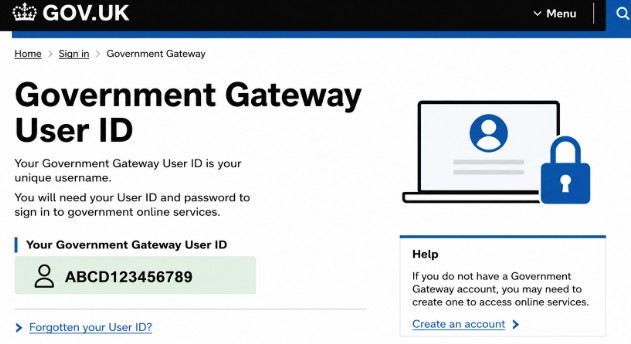
A Government Gateway user ID is a centralised 12-digit digital credential used to log into HMRC and various UK government services.
It is not an identification card; rather, it is a secure digital profile that links your real-world identity to your personal or business tax accounts.
-
Format: It consists of a 12-digit numerical sequence (e.g., 48 29 51 06 73 84), generated automatically during registration.
-
Purpose: It acts as your primary authentication key to unlock government services.
-
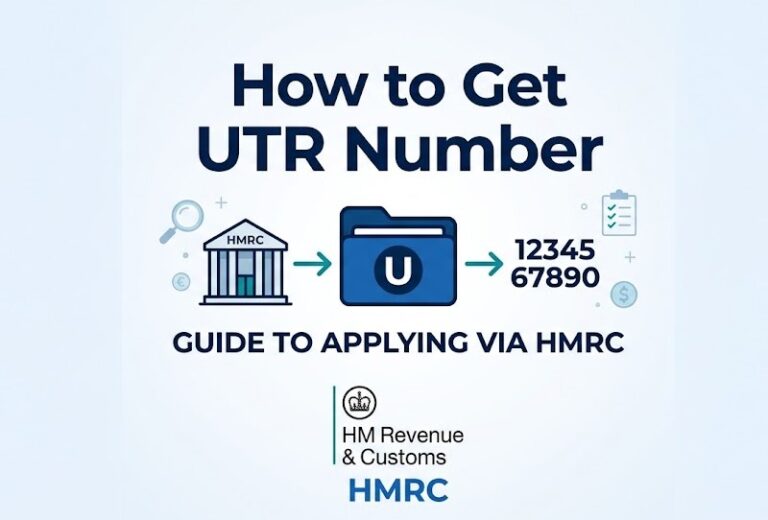
Distinct from other IDs: It is NOT your National Insurance number (used for social security) or your Unique Taxpayer Reference (UTR) (used to identify your tax profile).
How to Create a Government Gateway User ID and Password?
To create your Government Gateway user ID, head to the sign-in portal on the official GOV.UK website. Instead of entering details, locate the clear option to register or create a new account, which initiates the secure enrollment wizard.
- Visit the Portal: Go to the official GOV.UK sign-in page.
- Initiate Registration: Locate and select the Register or Create new account option.
- Verify Identity: The system cross-references credit and government databases. You will need details from at least two of the following:
- A valid UK passport.
- Your most recent P60 or consecutive payslips.
- A UK photocard driving licence.
- Credit file data (e.g., mobile contract or mortgage details).
- Configure Security: Set a strong, complex password and enable two-step verification by linking a mobile phone number or an authenticator app.
The final step to create a Government Gateway user ID and password system involves configuring robust security defaults.
The portal requires a password that meets complex character rules, followed by the immediate setup of two-step verification.
This mandates linking a mobile phone number or an authenticator application to receive a one-time access code during every subsequent login attempt.

How to Find Your Government Gateway User ID?
If you have lost your Government Gateway User ID, first search your email inbox for a confirmation message from [email protected]. If you cannot find it, navigate to the official login page and use the Forgotten your user ID recovery link to verify your identity.
-
Digital Audit: Check your primary email accounts for original registration correspondence.
-
Automated Recovery: If the search fails, use the online recovery tool on the GOV.UK sign-in page. You will need your registered email, a security code sent to that email, and personal indicators (NI Number or UTR) to recover it.
-
Final Resort: If you no longer have access to your registered email, you must contact the HMRC online services helpline for manual biometric verification.
How to use Government Gateway User ID?
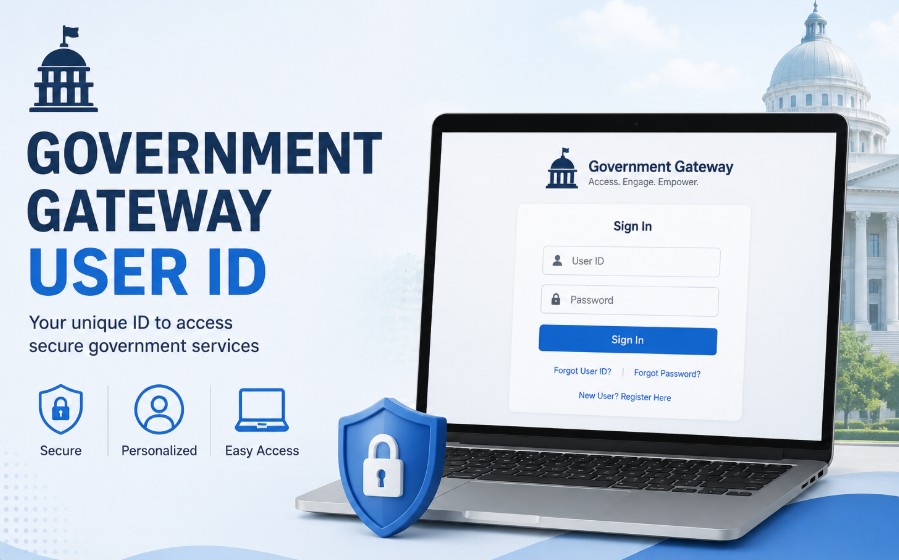
To use your Government Gateway user ID, navigate to the official GOV.UK login page, enter your 12-digit ID and password, and complete the two-step verification code request. Once authenticated, you will be directed to your personal or business tax dashboard.
-
Navigating to the official GOV.UK sign-in page.
-
Entering your 12-digit User ID and your password.
-
Completing the two-step verification process by entering the code sent to your registered device.
-
Once authenticated, you will be redirected to your personal or business dashboard, where you can view your tax liabilities, submit returns, or manage administrative obligations.
UK Tax Identification and Gateway Accounts
The Government Gateway ID is an umbrella credential for login, whereas tax identifiers like the National Insurance number and UTR are specific to your tax profile. Use the following matrix to differentiate between them.
Tax Credential Identity Matrix
| Identification System | Structure and Format | Core Administrative Purpose | Primary Document Source |
| Government Gateway User ID | 12 unique numerical digits | Online portal login authentication | Initial signup confirmation email |
| National Insurance (NI) Number | 2 letters, 6 numbers, 1 letter | Social security and personal tax tracking | Official plastic card or employee payslip |
| Unique Taxpayer Reference (UTR) | 10 unique numerical digits | Individual or corporate tax profile ID | Self Assessment letters or HMRC notices |
| VAT Registration Number (VRN) | 9 purely numerical digits | Corporate value added tax identification | VAT registration certificate (Form TF722) |
| Company Registration Number (CRN) | 8 digits (or 2 letters followed by 6 digits) | Legal corporate entity tracking | Companies House incorporation certificate |
Note: If you are asked What is a 9-digit tax ID? in the UK, it specifically refers to your VAT Registration Number (VRN).
What if I forgot the Government Gateway User ID?
If you realise you have forgotten your ID, use the automated online recovery channels mentioned above. However, if your registered email address is no longer accessible, the automated system cannot assist you.
In this specific scenario, you must bypass the digital portals and contact the dedicated HMRC online services helpline by phone to undergo manual biometric and security verification.

What if the account has been locked out of Government Gateway ID?
If your account is locked due to too many failed login attempts or suspected security issues, the system will typically inform you on the screen.
-
Standard Locks: Often, these locks are temporary. Wait for the duration specified on the screen (usually a few hours) before attempting to log in again.
-
Persistent Locks: If the lock remains or you cannot reset the password through the standard portal, you must contact the HMRC Online Services Helpdesk. They are equipped to manually reset your access after confirming your identity through stringent security questions.
Note: As of 2026, the UK government is migrating to the new GOV.UK One Login ecosystem. Your existing 12-digit ID remains valid, but keep an eye out for official dashboard alerts that may prompt you to transition to the new, more integrated login system in the coming months.
Government Gateway vs. GOV.UK One Sign-In
As of 2026, the UK government is actively advancing a multi-year technological migration designed to simplify public sector access. The traditional 12-digit login framework is being systematically replaced by the new GOV.UK One Login ecosystem.
This structural modernisation aims to phase out fragmented accounts across different departments, replacing them with a singular, identity-verified email and password identity profile.
For small business owners, this transition is occurring in controlled phases. HMRC services are scheduled to merge into the One Login framework over the coming months.
During this transition period, your existing 12-digit user ID remains fully valid and necessary for your scheduled tax filings.
Users are advised to avoid attempting to create duplicate profiles until explicitly prompted by an official dashboard alert upon logging into their active business tax accounts.
Final Summary
Maintaining consistent access to your business account is critical to avoiding missed filing deadlines and statutory penalties.
To ensure long-term stability, verify that your registration details are securely backed up within an enterprise-grade credential manager.
Ensure your recovery mobile phone number remains updated within your profile settings, and safely print your original confirmation documents to keep in a secure physical archive.
When preparing for upcoming filing periods, log in several days in advance to verify your access credentials, ensuring that any unexpected security locks can be resolved well before official regulatory submission deadlines.
FAQ
Can I use the same Government Gateway account for multiple businesses?
While you can add multiple tax services (like VAT or PAYE) to one Government Gateway account, HMRC generally recommends separate accounts for different legal business entities to keep your tax records distinct and secure.
How long does it take to get my Government Gateway ID after registering?
You will receive your 12-digit user ID immediately upon completing the online registration process. However, accessing certain tax services (like VAT or Corporation Tax) may require an activation code, which HMRC sends by post and can take up to 10 working days to arrive.
How do I retrieve my user ID?
Navigate to the HMRC sign-in portal, click the recovery link, provide your registered email address, verify the incoming security code, and confirm personal parameters like your National Insurance number to display the ID on your screen.
How do I find my UK taxpayer ID?
Your personal 10-digit Unique Taxpayer Reference (UTR) is located on physical tax correspondence, Self Assessment filing notices, or within your digital tax dashboard after logging in with your 12-digit user ID.
Do I still need a Government Gateway ID if I have an accountant?
Yes. Even if you have an accountant, maintaining your own Government Gateway access is highly recommended. It allows you to monitor your records, check tax codes, and handle urgent matters or identity verification independently.
Is my National Insurance number the same as my Government Gateway ID?
No. Your National Insurance (NI) number is a permanent personal identifier for social security and tax tracking, while your Government Gateway ID is a temporary, 12-digit digital key used solely for logging into online government portals.