Official HMRC VAT Bank Details: The Complete Guide to Safe Payments, Fraud Protection
Last Updated on
Submitting your quarterly or annual return is only half the battle when managing your business tax liabilities; ensuring your funds settle safely requires routing them using the exact, official HMRC VAT bank details.
Missing a credential or misformatting your reference string can cause your payment to become trapped in an unallocated clearing account, triggering automated late-compliance penalties.
Knowing the verified accounts and absolute compliance requirements for HMRC VAT bank details, along with consulting HMRC VAT Customer Services when needed, keeps your corporate cash flow running smoothly and shields your business from administrative surcharges.
Key Takeaways
-
Clearing your business tax liabilities requires transferring funds directly to the consolidated Barclays Bank PLC portal using the official sort code 08-32-00.
-
Failing to format your exactly nine-digit unique VAT registration number without letters or spaces will cause your payment to sit unallocated.
-
Updating company repayment accounts can no longer be processed via paper Form VAT484 and must be completed within your digital Business Tax Account.
-
Modifying banking credentials within your dashboard must occur at least fourteen days before a return deadline to prevent processing errors.
What Are the Official HMRC VAT Bank Details for Payments?
When organizing a settlement via your online corporate banking app, you must route your money to a centralized clearing account. As of 2026, HM Revenue and Customs has consolidated its transactional systems.
Small businesses no longer need to worry about choosing between the legacy accounts of separate regional offices like Shipley or Cumbernauld for their standard VAT bills.
All standard domestic value-added tax payments clear through a single, secure banking pathway maintained at Barclays Bank PLC. Below are the verified credentials required to set up HMRC as a payee inside your electronic banking portal:
Verified UK Banking Credentials for VAT Settlements
| Parameter | Official Corporate Record Details |
| Account Name | HMRC VAT |
| Sort Code | 08-32-00 |
| Account Number | 11963155 |
| Bank Name | Barclays Bank PLC |
| Payment Classification | Business Tax Liabilities |
A common pattern among business owners is confusing general self-assessment or corporation tax collection pathways with value-added tax destinations.
Sending a payment to a general tax account number rather than the specific details shown above will delay your allocation and can inadvertently generate a default notice.

How to Pay VAT to HMRC via Bank Transfer?
Settling an outstanding balance through an electronic bank transfer offers flexibility and control over your corporate outgoings.
To make a payment, log into your business banking portal, choose the option to make a new payment, and mirror the exact sort code and account credentials provided by the official government portal.
The clearing duration depends entirely on the underlying processing framework selected within your bank’s commercial interface.
Most modern UK clearings default to Faster Payments, but understanding the precise processing timelines prevents accidental late entries:
-
Faster Payments: Typically transfers the cash instantly or within two hours, operating twenty-four hours a day, including weekends and statutory bank holidays.
-
CHAPS (Clearing House Automated Payment System): Guarantees same-day delivery into the government’s account provided the transfer is authorized before your bank’s daily cut-off time on a business day.
-
Bacs (Bankers’ Automated Clearing System): Requires three full working days to finalize processing. This mechanism demands early planning to avoid missing deadlines.
Comparative Overview of Settlement Processing Frameworks
| Clearing Framework | Typical Processing Duration | Operational Window | Best Suited For |
| Faster Payments | Instant to 2 Hours | 24/7/365 | Urgent, standard business payments |
| CHAPS | Same Business Day | Mon–Fri (Working Hours) | High-value corporate transactions |
| Bacs | 3 Working Days | Mon–Fri Only | Non-urgent forward-planned clearings |
In practice, the tax authority recognizes your financial obligation as fulfilled on the exact day you initiate the transfer, rather than the date the funds settle into their database, which covers you on weekends and bank holidays.
What Is the Correct Reference Number for an HMRC VAT Payment?
Entering the correct payment destination is only half the process; you must also provide the correct reference string so that the clearing team knows which account to credit. The required reference code is your unique nine-digit VAT Registration Number (VRN).
If you are paying a third-party supplier or need to verify your own business credentials, knowing how to find a VAT registration number ensures you populate these fields with absolute precision.
You can locate this identifier at the top of your official certificate of registration or within your secure digital tax dashboard.
Many accounting departments run into issues by including extra descriptive text. For example, typing VRN 123456789 or adding a GB prefix before the digits breaks the automated text parsing rules inside the bank’s processing system.
When reviewing compliance decisions, a single stray character can cause a payment to be marked as unidentifiable, leaving your account technically unpaid while automated enforcement letters are generated.
How to Make a Payment to HMRC for VAT Online?
If you want to skip manual input fields and minimize the risk of typing errors, using digital accounts offers an alternative route. By accessing your online portal, you can complete your payment via integrated open banking tools or arrange an automated payment schedule.
Setting Up a Direct Debit for VAT
Setting up a continuous payment authority ensures you never have to enter bank numbers manually for future deadlines.
When you establish an automatic debit collection, the system automatically calculates your liability based on your digital return and withdraws the exact balance three working days after the standard deadline.
The Direct Debit Activation Sequence
-
Log directly into your secure Business Tax Account using your authenticated Government Gateway profile.
-
Navigate directly to the dedicated value-added tax section and select the option to establish a payment profile.
-
Enter your business bank account number, branch sort code, and the official name of your financial institution.
-
Verify your identity and confirm your submission at least three working days before submitting your upcoming tax return.
-
Keep an eye on your dashboard notifications to confirm the direct debit profile is active before your deadline arrives.
-
Ensure your business account maintains adequate funds to clear the balance when the automated transfer runs.

How Do I Pay From Overseas?
For international business entities registered for tax obligations within the UK, settling outstanding liabilities requires an international bank transfer. International payments must clear through the SWIFT network to reach the designated collection portal.
When setting up an international transfer from outside the UK, use these global routing codes:
International SWIFT Routing Metrics for Global Transfers
| Transaction Field | Required International Parameter Data |
| Account Name | HMRC VAT |
| IBAN | GB36 BARC 2005 1773 1523 91 |
| BIC / SWIFT Code | BARCGB22 |
| Receiving Institution | Barclays Bank PLC, 1 Churchill Place, London, E14 5HP, UK |
When making international transfers, remember that your home bank may charge currency conversion fees if you do not send the payment in British Pounds Sterling (GBP).
Make sure the final amount that reaches the UK account covers your full tax balance, as exchange rate shifts can leave you with a small underpayment.
What is the VAT Payment Deadline?
For most UK businesses filing standard quarterly returns, the deadline to submit the return and clear the payment is exactly one calendar month and seven days after the end of your VAT accounting period.
HMRC assigns businesses to different stagger groups to balance the system load across the year. The visual breakdown below shows the exact standard deadlines depending on your quarter end date:
| VAT Quarter End Date | Return & Payment Deadline | Direct Debit Collection Window |
| 31st March | 7th May | ~10th May (3 working days later) |
| 30th June | 7th August | ~10th August (3 working days later) |
| 30th September | 7th November | ~10th November (3 working days later) |
| 31st December | 7th February | ~10th February (3 working days later) |
What is the Penalty for Missing the Payment?
HMRC separates late-payment penalties from late-submission point systems. If your payment does not land by the due date, it triggers automated costs that scale the longer the debt goes unpaid.
-
Days 1 to 15 Overdue: A 15-day grace window applies. No late payment penalty is charged if you clear the full balance or secure an official Time to Pay arrangement by day 15. However, daily late payment interest accumulates starting from day one.
-
Days 16 to 30 Overdue: A fixed penalty of 3% of the total VAT amount outstanding at day 15 is applied on day 16.
-
Day 31+ Overdue: An additional 3% penalty is assessed on whatever amount remains unpaid from day 30 (making a total upfront penalty of 6% if nothing has been paid).
-
Ongoing Daily Penalties: Starting from day 31, a second penalty accrues daily at an annualized rate of 10% per year on the outstanding balance until paid in full.
-
Late Payment Interest: Separate from the penalties, HMRC applies a baseline interest rate equal to the Bank of England base rate plus 4%, calculated directly in accordance with statutory HM Revenue and Customs interest compliance guidelines. This interest accrues daily on all overdue amounts from the original deadline until full payment clears.
How to Safely Change or Update Your HMRC VAT Bank Details?
Managing your banking details safely is critical for protecting your business against fraud. Historically, organizations updated their profiles by filing a paper Form VAT484 or sending an email notification to the clearing team.
However, due to an increase in sophisticated fraud targeting corporate tax accounts, the paper-based update option has been discontinued.
Changes to your bank details must be managed directly through the secure Government Gateway portal.
To protect businesses from unauthorized changes, third-party tax agents and external accountants are blocked from updating these fields on behalf of their clients. The business owner must log in personally to authorize changes to repayment paths or financial profiles.
Additionally, security regulations require that any adjustments to your banking records must be finalized at least fourteen days before a return submission deadline.
Making changes too close to a deadline can lock your account, which may delay your refunds or disrupt scheduled direct debit collections.
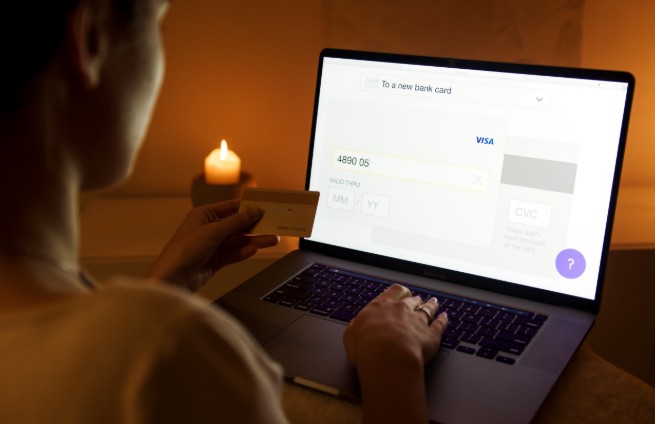
What is the Current HMRC VAT Bank Details for Payment Changes?
Historically, organizations updated their bank profiles by filing a paper Form VAT484 or sending a manual notification to the clearing team.
However, due to a severe increase in sophisticated mandate fraud targeting corporate tax accounts, the paper-based update path has been entirely discontinued.
All modifications to your corporate banking profiles must be executed directly by an authorized user inside your secure, digital Government Gateway dashboard.
Account Access Restriction: To maximize security, third-party tax agents, bookkeepers, and external accountants are strictly blocked from editing these fields on behalf of their clients. The business owner or a designated internal administrator must log in personally to authorize or alter payment routing details.
Critical Account Lockout Warning for HMRC VAT Bank Details
When modifying your corporate banking records, timing is critical. Security protocols state that any adjustments to your payment or repayment records must be finalized at least 14 days before a return submission deadline.
Making banking adjustments too close to a filing window can lock your account during processing cycles.
This administrative disruption can cause scheduled direct debit runs to fail entirely or divert your automated VAT refunds into an unverified status, delaying critical cash flow clearings.
How Will HMRC Send Details to Support Your VAT Repayment Claim?
When your business files a return showing that your input tax exceeds your output tax, you are entitled to a refund.
This process applies to structured corporations as well as unincorporated businesses; if you operate independently, understanding how and when you can claim VAT back as a sole trader protects your margins from unnecessary overheads.
To receive these funds directly into your bank account via Bacs, your current account details must be correctly registered in your tax profile.
If your banking profile is incomplete or unverified, the refund will default to a paper cheque sent to your business address, which can add weeks to the processing time.
When a refund calculation appears unusually large or deviates from your business’s typical patterns, risk systems may temporarily flag the transaction for review.
In these cases, the department will issue an official notification via your online tax dashboard requesting verification before releasing the funds, helping protect your business from repayment fraud.
Summary
Managing your tax payments efficiently comes down to accuracy and forward planning. Before authorizing your next transfer, verify that your sort code, account number, and nine-digit reference number match the official requirements exactly.
Setting up your payments a few days before the deadline ensures your funds clear safely and helps keep your business compliant.
Disclaimer: This guide provides general administrative information; always verify banking paths directly within your official Government Gateway account before transferring funds.
FAQ
What bank details do I use to pay HMRC VAT?
Route your payments to sort code 08-32-00, account number 11963155, under the account name HMRC VAT at Barclays Bank PLC. Always use your nine-digit registration number as the reference.
What is the HMRC VAT account?
It is the centralized banking portal managed by Barclays Bank PLC to collect value-added tax payments from UK businesses. It is separate from accounts used for corporation tax or PAYE liabilities.
How do I pay HMRC Shipley or Cumbernauld?
For standard value-added tax liabilities, use the centralized Barclays account details. The separate Cumbernauld and Shipley accounts are typically used for self-assessment or corporation tax payments.
What is a VAT account number?
Your unique identifier is your nine-digit VAT Registration Number (VRN). This number serves as your payment reference so the system can match your payment to your business profile.
What are my VAT details and how do I find them?
Your registration details, including your nine-digit VRN and filing schedule, are printed on your official certificate of registration or can be viewed within your online tax dashboard.
How do I check bank details for my tax return?
Log directly into your Government Gateway profile and navigate to the registration details tab. Here you can verify the bank credentials stored for direct debits or repayments.
Is there VAT on the bank fees or interest?
No, financial services, bank interest, and standard account fees are exempt from value-added tax in the UK, so there are no calculations required for these items on your return.
What is the official postal address for HMRC VAT?
The official postal address for general written correspondence is BT VAT, HM Revenue and Customs, BX9 1WR. However, all financial and banking changes should be completed digitally via your online account.